
Hi everyone. If a VR workout makes you nauseated, dizzy or disoriented, stop and take the headset off. Your comfort comes first; you don’t need to finish a song or push through symptoms to become a VR player.
We want your first PowerBeatsVR sessions to be comfortable and enjoyable. Here’s what to check before play, and how to approach active VR without turning adaptation into a test of determination.
Get the fit and view right
Read the safety information for your exact headset. Fit it securely and adjust lens spacing and clarity using the manufacturer’s guidance. Check that tracking and performance are working properly before starting a workout.
Clear the required movement area, use controller straps and begin with comfortable settings. Choose a time when you feel well and alert, and keep the first session brief enough to judge how you feel.
The Meta Quest Safety Center links to the health and safety information for individual headsets. Use the guidance for your own hardware, including another manufacturer’s instructions if that applies.
Choose the kind of movement carefully
VR experiences can feel different depending on how the view moves. Artificial camera travel, fit, clarity, tracking and the content can all affect comfort. Read an app’s comfort information rather than assuming every music game behaves the same way.
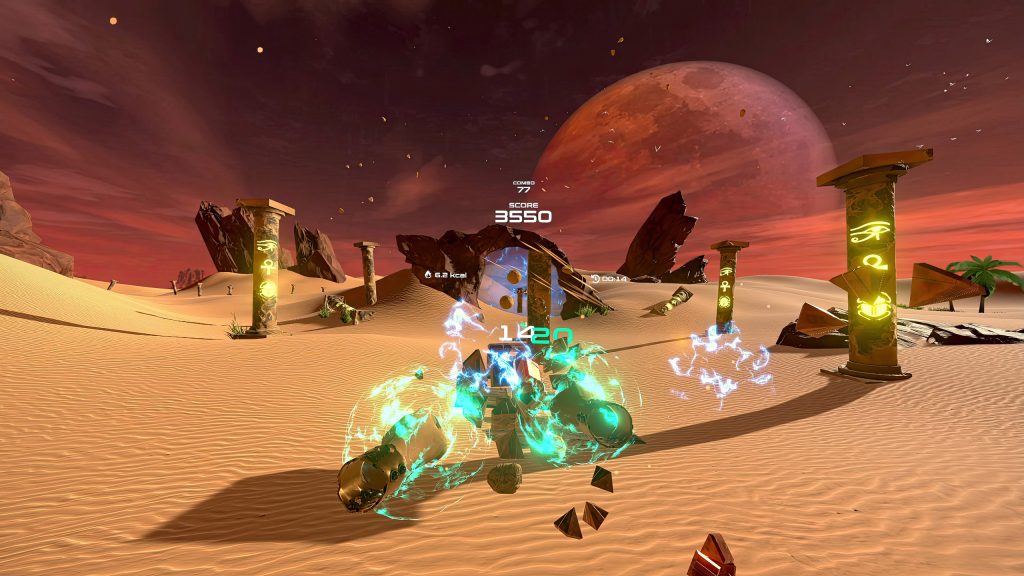
PowerBeatsVR’s core workouts use physical punching, dodging and squatting within your playspace, rather than thumbstick travel through a world. Some players prefer that format. On compatible Quest hardware, passthrough is another view to explore if you like keeping the room visible.
Neither the movement format nor mixed reality guarantees you’ll be comfortable. You still need the full clear space and should stop if you notice symptoms.
Give yourself permission to pause
Take ordinary breaks and finish before tiredness affects control or orientation. You can lower the difficulty while learning the cues; you’re choosing the workout settings and when to stop. The app doesn’t monitor symptoms for you.
If you feel unwell, remove the headset and rest somewhere safe. Avoid driving, further exercise or other activities that need balance and concentration while symptoms persist, and follow your headset manufacturer’s guidance about returning to use.
There isn’t a guaranteed week-by-week adaptation schedule. Some people become more comfortable with suitable experiences; others continue to have difficulty. It’s fine to choose another form of activity.
Know when to get more help
Persistent, severe or recurring symptoms deserve advice from a qualified healthcare professional. Ask them about treatment or medication questions rather than using supplements or medicine simply to force a session.
A seated setup also needs appropriate support from the app and your own circumstances. Height settings alone aren’t proof that a standing fitness game supports a particular adaptation.
Start with comfort, then enjoy the music
When the format is appropriate for you, choose a familiar workout at an easy setting and give yourself room to learn. There is no minimum song count or score you owe the session.
Our setup FAQ is there for product questions. You can also ask the community about settings and experiences, while keeping personal symptom or treatment questions with a healthcare professional.
When you feel ready to give it a go, take a look at PowerBeatsVR on Quest or Steam.
Take care,
Team PowerBeatsVR
Header artwork is an AI-generated editorial illustration. In-article images are actual archived PowerBeatsVR captures.