
Hey everyone! A familiar playlist feeling more comfortable is worth noticing. So is making time for a session you enjoyed. You don’t need a complicated dashboard to keep track of those wins.
Here’s a simple way to follow your PowerBeatsVR routine, with room for more measurements only when they help you.
Start with a short session note
After play, record four things:
| Field | Example |
|---|---|
| When | Monday evening |
| Active time | 15 minutes |
| Session | Familiar playlist, Beginner, usual movement settings |
| Effort and a note | 4/10; comfortable finish, liked the second song |
Use paper, a notes app or a spreadsheet—whatever you’ll keep using. Separate active minutes from time spent browsing songs or changing settings. The effort number is your own description; a few words help explain it.
Give yourself a fair comparison
Repeat a familiar playlist at similar settings from time to time. Notice how it feels, how many breaks you take and how readily it fits your week. When you want to change things, adjust one variable first: time, difficulty or movement mix.
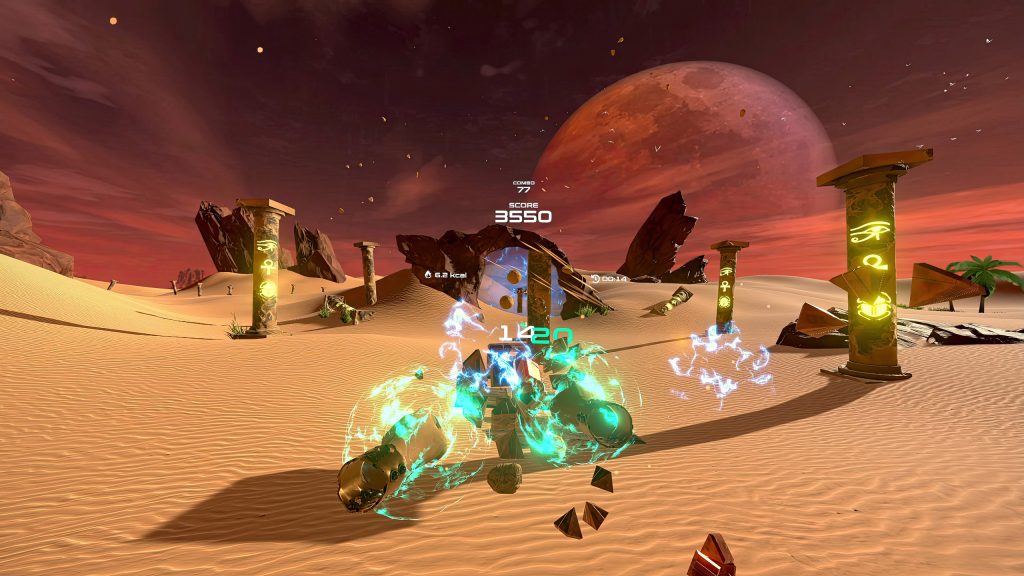
Enjoy better scores as game achievements too. They can reflect learning the timing as well as other changes, so keep them alongside your session notes rather than treating points as a direct fitness measurement.
Add heart rate if it’s useful to you
A watch or monitor can add context about effort. Use the same device in similar conditions, and remember that heat, sleep, medication, health and sensor errors can affect a reading. A lower number on one day doesn’t establish a fitness change on its own.
If you want in-game heart-rate tracking, check our current FAQ: external Bluetooth/ANT+ heart-rate monitors are supported on PC, not native Quest or PS5. A separate wearable log is a different workflow.
You can also use breathing and speech as a practical reference. The CDC’s talk-test guidance explains relative intensity without needing a wearable. Get individual guidance when health considerations make targets uncertain.
Keep calorie and body measurements in their place
A game’s counter, a smartwatch and a laboratory test use different methods. If you track an estimate, use it consistently as a rough reference rather than a number you must chase.
Weight, measurements and photos are optional. If they support your goals, compare similar conditions and look for trends. If they make the routine less helpful, your session notes can still show time, consistency and perceived effort without them.
Take a few minutes to look back
At the end of the week, ask what you enjoyed, what made starting easier and what you’d like to adjust. A different song, a simpler setup or more recovery can all be useful answers.
This is a log you keep yourself, not a promise of automatic export or syncing from the game. Store personal health information somewhere you’re comfortable keeping it; sharing it publicly isn’t required.
PowerBeatsVR gives you music and settings you can return to and record. Explore Quest or Steam, and feel free to share a favorite playlist or a small win on Discord.
Keep enjoying the progress,
Team PowerBeatsVR
Header artwork is an AI-generated editorial illustration. In-article images are actual archived PowerBeatsVR captures.